
Axminster—my graphical software design tool for the AI coding age—is still in beta, and it’s already been through three different technologies for inter-process communication (IPC). What gives?
The reason the app needs IPC at all is to support the Model Context Protocol (MCP), which is how your LLM coding assistant reads and manipulates your diagrammatic model. I’ll start by showing you how it works now, which is that there are two components in Axminster—the app itself, and a small MCP helper tool that forwards requests to the app over a UNIX domain socket.
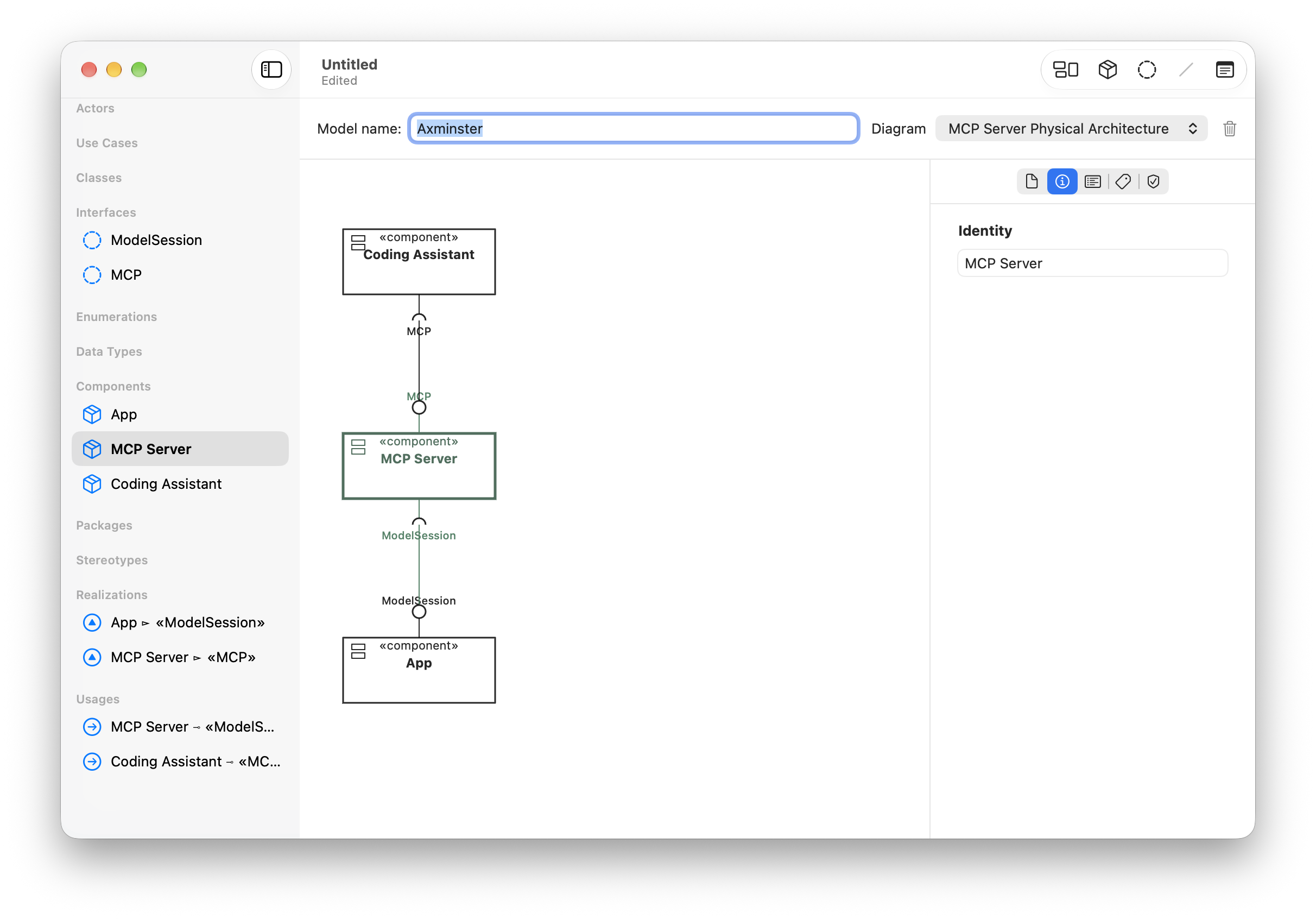
My first attempt avoided the helper process, and relied on an HTTP server inside the Axminster app to serve MCP. This was the easiest to get going from the App Sandbox perspective, as it just means adding the incoming network connections entitlement.
However, it’s pretty bad from a security perspective. Any process running locally on the Mac can connect to the server, so a different app potentially controlled by a different user can view and change someone’s models. This was always a beta-only approach used to get something out quickly that testers could validate, with the risks clearly explained in the documentation.
The second approach switched to a helper tool that outwardly uses the stdio MCP protocol; it needs to be a helper tool because the process lifecycle is controlled by the MCP client (the coding assistant), not the Axminster app. That means that the app and the helper need their own IPC mechanism so that MCP requests sent to the tool get relayed to the app.
Putting the app and the helper into the same app group gives them a shared container, and access to a few different IPC mechanisms. I initially chose to use an XPC service; as the App Groups doc says, I should be OK as long as I prefix the XPC service’s name with the group identifier.
And yes, dear reader, I was OK, unfortunately everybody else wasn’t OK. In testing, this worked well; the helper (deployed in Axminster.app/Contents/Helpers/axminster-mcp) connected to the app, launching it if necessary, each end evaluated the other end’s identity to ensure it talked to the correct process, and then MCP traffic flowed. However, the first TestFlight feedback I got after making this change was that the MCP server no longer connects.
I’m not entirely sure why, but the XPC connection worked when I launched the app in Xcode, but not when I launched it from the Dock. Because nobody else has my Xcode project, it didn’t work for them. I didn’t get to the bottom of that, because I switched the IPC to its final state—a UNIX domain socket in the App Group’s shared container. The two peers still get each other’s identity to ensure they’re talking to the correct executable (this time by getting the PID from the socket), so otherwise nothing is changed.